Showing posts with label SEO. Show all posts

Thursday, 15 October 2015

How to choose correct domain name for your blog


What is domain name definition.

The domain name definition is " An identification string that defines scope of administrative privileges to control a unique name identifier connecting with a disk space ( Web hosting ) are called as domain name. " Domain names are unique recognizer to recognize a particular point out organizations. All the domain names are constituted by DNS ( Domain name system ).


Things you need to focus before choosing a suitable domain name for your business.

Domain name selection depends on your business whether personal or professional. There are lots of domain picking options available, when you trying to purchase a new domain name  There are multiple type of domain extension available on internet. for example .com , .net , .in , org ..etc. You can pic any domain from given list but the name of domain is like match to your business and organization.

  1. Always select domain name related to your website or blog topic.( For example if your blog is related to android then use android keyword on your domain name. )
  2. Choose shorter string name.
  3. Don't use - ( Dash ), ,( Comma ), _( Underscore ), Numeric keywords ( 0,1,2,3,4,5,6,7,8,9 )on your domain name.
  4. Always pick up country preferred domain name like .in , .co, .pk same as your country.
  5. Don't use stop words.

Select domain name respective to your information.
Domain name always represents your blog overall environmental area. Its like all your blog knowledge represents  within a single word so always take the equal domain name as your blog knowledge topic matter.

Always choose shorter name.
Select shorter domain name string so its easy to recognize by any one. Short domain names are also effortless to read, understand and learn. Because its ultra necessary to learn your domain name so users can easily come back on your blog without remembering your domain.

Why..? country preferred domain selection is better then .com , .net , .org , tech domain names extensions.

Country preferred domain names extensions are much better then .com , .net , .org domain names because these extensions are mostly used for product or organizations websites to search all over in the world. But country preferred domain names provide us the ability to comes first search result in your country.

American domain Extension selection list

List of all available domain name picking.

  • .US
  • .CA
  • .MX
  • .COM.MX
  • .AG
  • .COM.AG
  • .NET.AG
  • .ORG.AG
  • .BZ
  • COM.BZ
  • .NET.BZ
  • .GS
  • .MS
  • .COM.BR
  • .NET.BR
  • .CO
  • .COM.CO
  • .NET.CO
  • NOM.CO
  • .LA
  • .PE
  • .ORG.PE
  • NET.PE
  • NOM.PE
  • COM.PE

Europe Extension domain name selection list

List of all domain names for European country selection. 

  • .EU
  • .DE
  • .ES
  • .COM.ES
  • .NOM.ES
  • .ORG.ES
  • .IT
  • .FR
  • .NL
  • .AM
  • .AT
  • .BE
  • .UA
  • .CO.UK
  • .ME.UK
  • .ORG.UK
  • .SE
  • .CZ
  • .DK
  • .RU
  • .PL
  • .CH


All Domain name asia-pacific Extension selection list

Domain names performs very important role on SEO. There are hundreds of domain name selection list are available to select.

Asia pacific domain name selection list.

  • .ASIA
  • .WS
  • .CC
  • .FM
  • .IN
  • .CO.IN
  • .FIRM.IN
  • .GEN.IN
  • .IND.IN
  • .NET.IN
  • .ORG.IN
  • .JP
  • .COM.AU
  • .NET.AU
  • .ORG.AU
  • CO.NZ
  • NET.NZ
  • ORG.NZ
  • .TV
  • .TK
  • .TW
  • .COM.TW
  • .ORG.TW
  • .IDV.TW
  • .PH
  • .COM.PH
  • .NET.PH
  • .ORG.PH
  • .CO.ZA

Thursday, 8 October 2015

SEO 2015 - 2016 Starter Guide to improve Blog SEO

What is SEO.

This is the online seo guide for year 2015 - 2016. Full form of SEO is " Search Engine Optimization".SEO means to make your website more accessible , Friendly and optimize to all the existing online web search engines like Google.com . SEO is the most vital factor for any website because without right seo, your website will not take place in search engines organic search result.


What is the Definition of organic search result.

Organic search result means " Every time when user make a particular online query to search their question on search engines and afterward search engine will show the filter result from millions of website ". This is the definition of organic search result, organic search result also depends on seo. Every website who will getting users from organic search result is one of the best websites to read online information so long as Google supports structured data on websites and Google website crawler bot reads information on webpages like humans do, so its always trying to discover the easiest, friendly content to its viewer.


I want to start my new blog & don't know how to prepare my first blog for superior seo ?


Every one wants to make money online through blogging career and there are hundreds of bloggers around the world throwing their content online every single minute. However lot's of them is new in this field and don't know about seo, So after publishing long time content on their blog the blog didn't become famous because they dose not be familiar of seo. So this guide will help you to improve step by step build seo techniques. Seo depends over many factors and there is very long task index you have to follow for make your blog more seo friendly.


  • Choosing the right Domain name for your blog.
  • Always use the same blog home page title as your blog domain name.
  • Create your website sitemap.
  • Submit website sitemap to all the search engines Google, Yahoo, Bing.
  • Use permalinks url structure.
  • Create unique blog post page title.
  • Create unique and simple to understand blog page description.
  • Always use ALT code for images.
  • Don't copy paste content from other blog.
  • Use of H1, H2, H3, H4, H5 headings tag .
  • Give all the information in structured way.
  • Build your blog mobile friendly using mobile friendly design layout.
  • Use of Strong /Bold tags at proper places to highlight the special content.
  • Choose high speed hosting providers.
  • Blog interlinking.

Thursday, 1 October 2015

How to verify My Website ownership to Google search engine

The fastest way to index my website on Google.

Google.com is famous internet search engine available to search anything on internet. Google search engine owned by Google Inc . Google is one of the most popular search engine on WWW ( World wide web ). Google is keeping more then 3 billion click per day, at the present date Google is one of the most usable online search engine.

Google is automatically crawl  every website on internet as per permission of website's robots.txt file and stores website cache on Google caching server so every time user makes a search query it will directly provide result from it's server. As we all know Google is one of the largest present search engine on internet and billions of people trying to find there search results on it, so growing your online business through your website can more easy if your website shows up on google search results. That can be happen only if your website is indexed on Google search index. This method is also called as " The fastest way to index my website on Google ".

Verify my website ownership to Google search engine can help me get fast indexing...How?

There are thousand of new online products strike up everyday and every one of them wants to grow their online business. So building your web content more accessible requirement you have to submit your website on one of the newly famous large scale growing online search engine Google. By submitting your product to Google it reaches fastly to Google search index. The fast you verify your product to Google, the fast you gain index in Google. 

Required conditions to verify your product on Google.

  • Your own website domain like .com , .org , .net , .club , .tech , .org , .in , .online , .design , .news , .app , .web , .family , live ...etc.
  • Access of your website webpages source code or access your web hosting sever via ftp ( file transfer protocol ) because you need to upload Google webmaster tool verification file on your server either you can add a custom meta tag to your website index home page. All this is a process to verifying your website ownership.

How to add my website on Google search index.


2. Log-in through your Google gmail account.

3. Click on ADD A PROPERTY.


4. Now add your website name then click on Continue.


After that all you have to do is follow the instructions given to you By Google webmaster tools to verify your website ownership on Google.

How to submit My website sitemap to Google Webmasters tools

What is sitemap.

Sitemap is a list of all web pages unite there URL's on a single .xml file format. Sitemap helps the crawlers to crawl your website by giving it each and every URL of your website. It helps the crawler to see many aspects on your site that can be followed. Sitemap contains all web page address of your website on a index format after one by one. It's also help search engines indexing algorithm to find and list your website pages. You can learn more about sitemap from Here.

Why sitemap is so much necessary in SEO ( Search Engine Optimization ).

SEO is the most typical part of each website because without getting right seo on your website there is no future of your website. Full form of seo is " Search engine optimization ", means optimizing, accessible, admittable your website for search engines so search engines like Google can show your website on there search results with unique keyword term. Without right seo your website will never indexed on search engines. Sitemap is the most unique part of seo because it directly point out the search engines bots to all of your website web pages with single sitemap file.

Regarding Google webmaster tools ( Google search console ).

Google webmaster tools is a free service prefabricated by Google . Google webmaster tools assistance the website developers to index there website more rapidly on Google search index, so it will be more discovered on search finding outcome.

How to submit my website sitemap to Google webmaster tools.

  1. Open Google webmaster tools.
  2. Log-in into webmaster area using your Google gmail account.
  3. If you are opening webmaster area first time then your will be able to view a welcome message from google webmaster tools. Presently write your website name then click on ADD PROPERTY button. So read my previous article about How to verify my website or blog ownership in Google search engine.
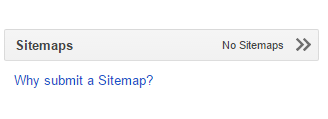
  4. Subsequently click on Sitemaps on your Google search console dashboard.
  5. Click on ADD / TEST SITEMAP.
  6. Now add your sitemap url and submit your sitemap.
  7. Refresh the page so developer console can show your sitemap submission progress.
After all the process your website sitemap is successfully submitted to Google webmaster console.